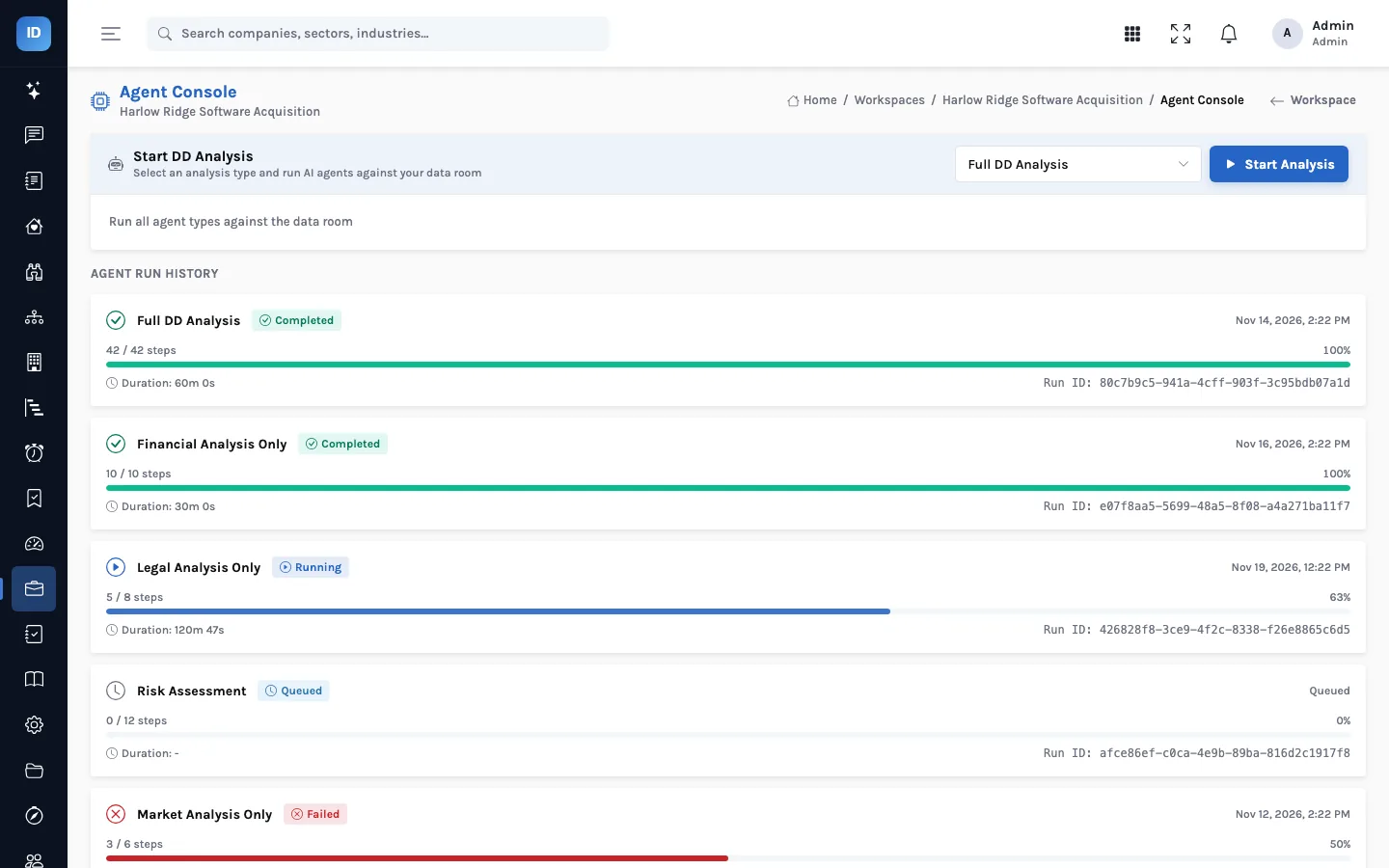
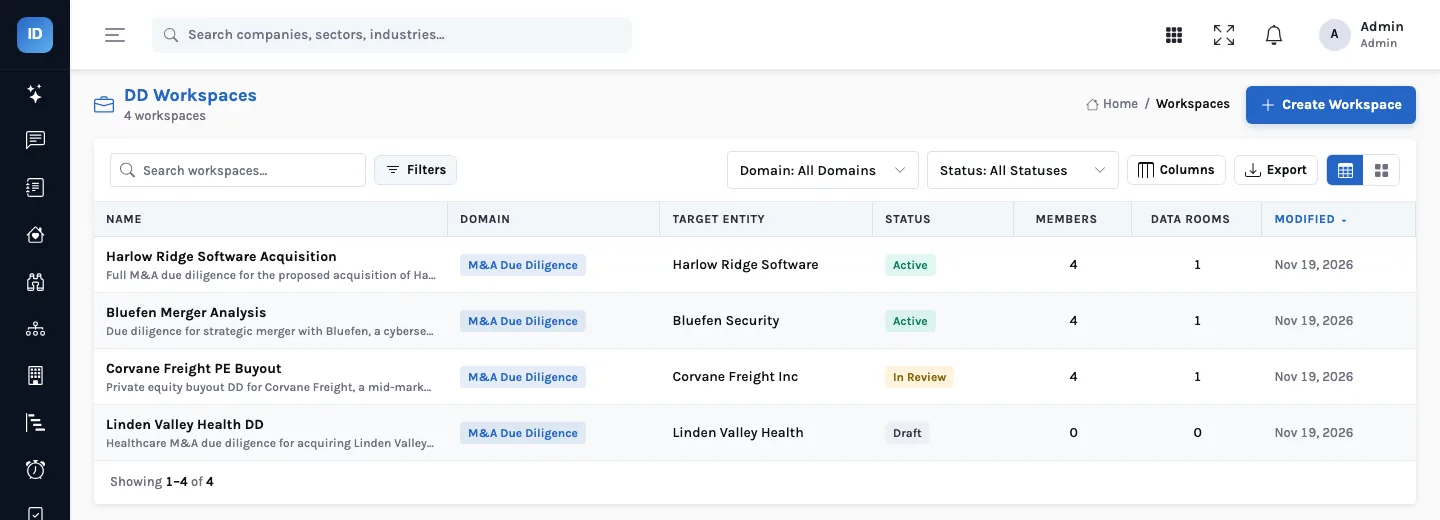
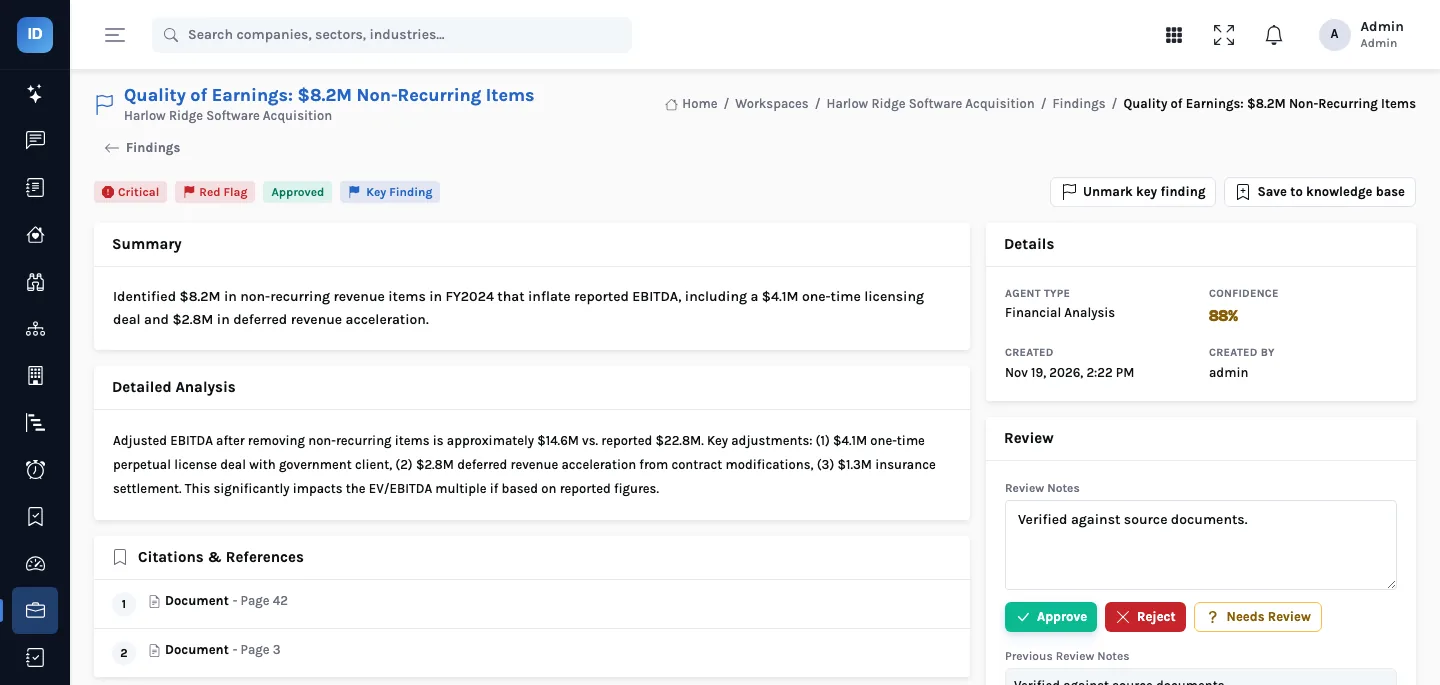
A diligence report is only as good as the findings underneath it. Each claim on the page (“quality of earnings is overstated by $8.2M”, “three contracts need consent on change of control”) has to survive a question from the investment committee: where does that come from, and who checked it? InsightDDx stores each finding as a record that can answer both.
What a finding holds
| Field | What it is for |
|---|---|
| Title and summary | The claim in one line, and the two or three sentences a partner reads. |
| Detailed analysis | The working: the numbers, the clauses, the reasoning. |
| Severity | Critical, high, medium, low or info: how much it matters to the deal. |
| Category | Risk, red flag, opportunity, compliance or observation: what kind of thing it is. |
| Analysis area | Financial, legal and contract, market and competition, technology, HR and organization, or risk assessment. |
| Confidence | How sure the author of the finding is, from 0 to 100%. |
| Citations | Document, page and the passage, with a relevance score for each. |
| Review | Status, notes, reviewer and date; and whether it is a key finding. |
| Tags | Free labels such as revenue, ebitda or contracts, used to group findings on the review tabs. |
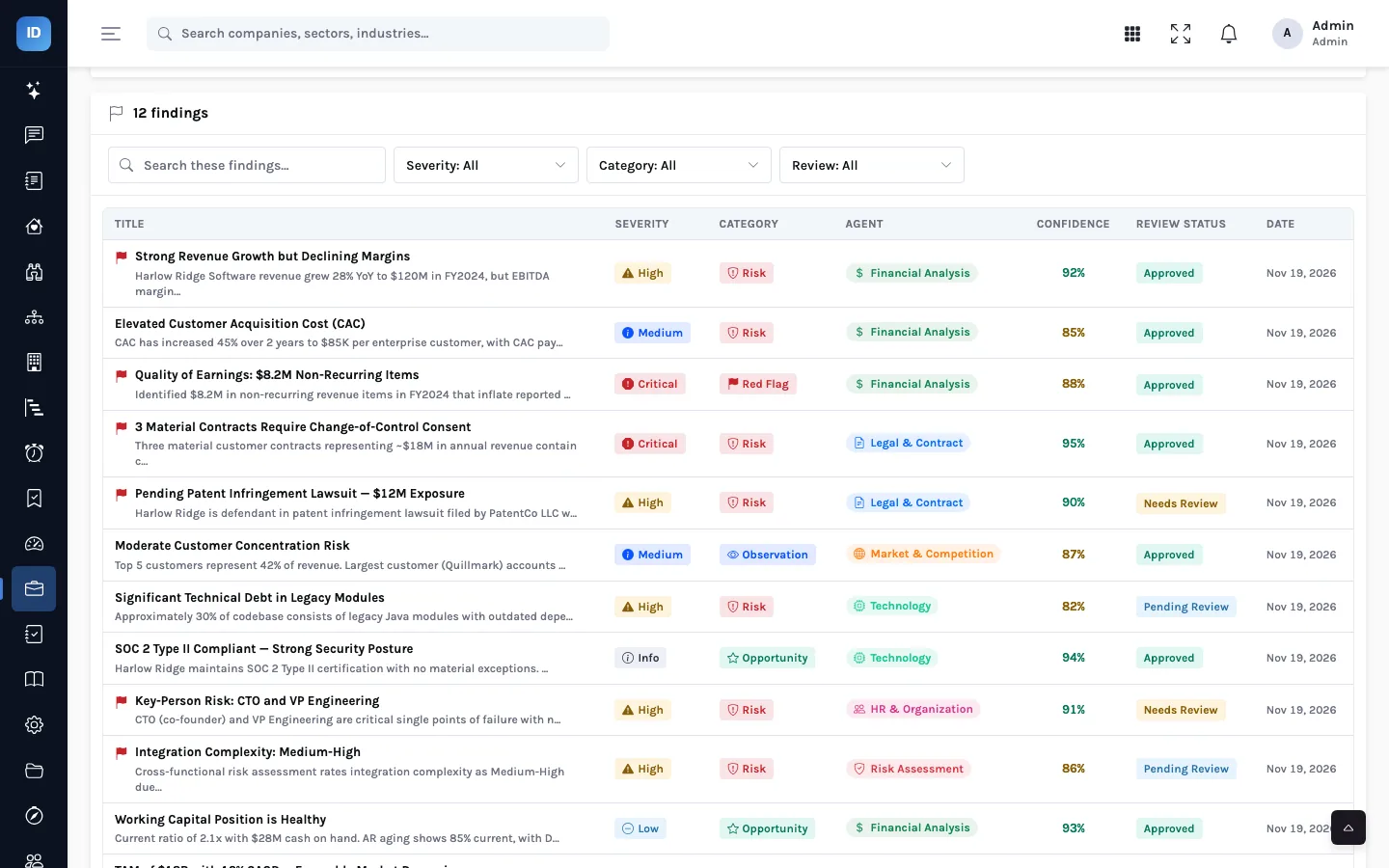
Severity and category are separate on purpose. A healthy working capital position is low severity and an opportunity; a pending patent lawsuit is high severity and a risk; a non-recurring revenue adjustment is critical and a red flag. Sorting by severity tells you what to read first; filtering by category tells you what kind of conversation it is.
Citations: the page, not just the document
A finding that says “see the annual report” sends a reviewer into a 45-page PDF. A citation in InsightDDx points to the document, the page and the passage itself, so the reviewer can check the claim against the source in a minute. When a finding has no citation, that is visible too, and it is usually the first thing a reviewer should ask about.
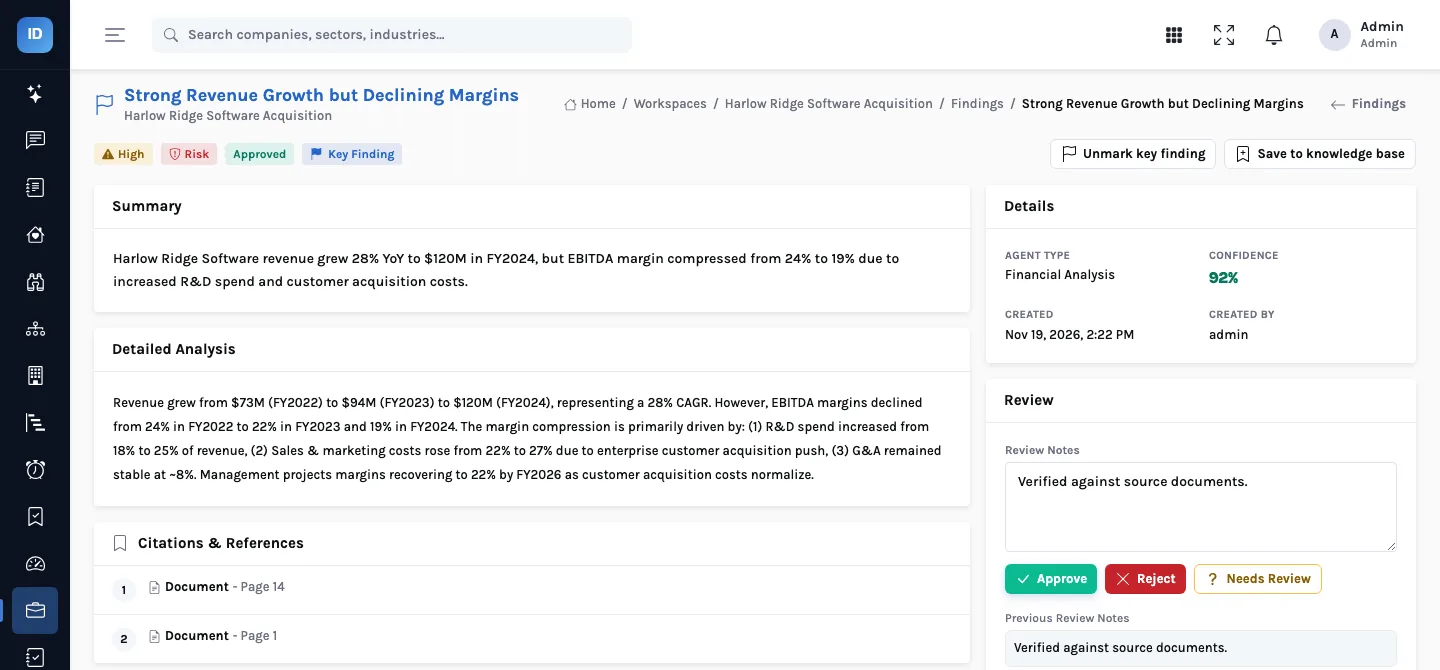
Review: three decisions, all recorded
Every finding starts as pending review. The reviewer reads the summary, the detail and the cited pages, then makes one of three decisions, each with notes:
- Approve: the claim stands and can go into the report.
- Needs review: something is missing (a second source, a number that does not tie) and it goes back for another look.
- Reject: the claim does not hold. The finding stays in the workspace with the reason, so the same question is not raised again next week.
The panel shows the earlier notes, who reviewed and when. The two distinctions that matter for the report are made here too: key finding, which puts it in the executive summary, and save to knowledge base, which copies its summary and analysis into the team's knowledge base as a lesson learned for future deals.
Writing a finding that survives review
Most findings that come back from review fail for the same few reasons. The same claim, written two ways (a made-up example):
| Weak | Strong | |
|---|---|---|
| Title | Revenue concerns | Two customers are 41% of FY revenue |
| Summary | Revenue looks concentrated. | The top two customers account for 41% of revenue; one contract renews in four months. |
| Severity / category | High / risk | High / risk, with the renewal date as the reason it is not medium |
| Citation | Management accounts | Management accounts, revenue by customer page, and the renewal clause in the contract |
The strong version can be checked in a minute, says why it matters now, and makes the severity an argument rather than a label. A useful house rule: the title states the fact, the summary states why it matters to this deal, and the detail holds the working a reviewer would otherwise ask for.
A reviewer's checklist
- Open each citation. Does the page say what the summary says?
- Is the severity consistent with similar findings already approved on this deal?
- Is the category right? A red flag should be something that could change price or structure.
- Is anything missing that would change the conclusion (a second document, an insurance policy, a side letter)?
- Write the note as if the reader is someone joining the deal next month.
Where findings come from
Each finding records the analysis area that produced it: financial, legal and contract, market and competition, technology, HR and organization, or the cross-functional risk assessment. A domain agent per area works through its playbook section, searches the data room and proposes findings with citations, for people to review. Findings can also be added through the API, and everything on this page (filters, citations, review, key findings, knowledge base) works on them the same way.
The lawsuit that went back for review
On the fictional Harlow Ridge Software deal, a finding reports a pending patent infringement claim with $12M of exposure, cited to page 3 of the litigation summary. The reviewer, a made-up associate general counsel, does not approve it: the summary gives the claimed damages, not an estimate of likely exposure, and the insurance policies in the data room have not been read yet. She marks it needs review with exactly that note. When the finding comes back with the policy's coverage terms cited, she approves it and marks it a key finding, so it leads the risk section of the report.