A private equity buyout runs on a fixed clock: exclusivity ends on a date, the investment committee meets on a date, and the lenders want the diligence pack before either. This walk-through follows one made-up deal from the first day in the data room to the committee pack, and shows which part of InsightDDx each step uses.
The deal
A fictional mid-market fund is buying Corvane Freight, a made-up supply chain and logistics company that operates in twelve countries. The team is a partner, a deal lead, two analysts and an operating partner who reviews. There are three weeks before the investment committee.
Week 1: workspace, team and data room
The deal lead opens a workspace (name, domain type M&A, target entity, a short description and the IC date as the due date) and adds the team. Each member has a role on the workspace: the deal lead as owner, the analysts as analysts, the operating partner as reviewer, and the partner as a viewer. The roles record responsibility, and the team agrees that only the reviewer approves findings.
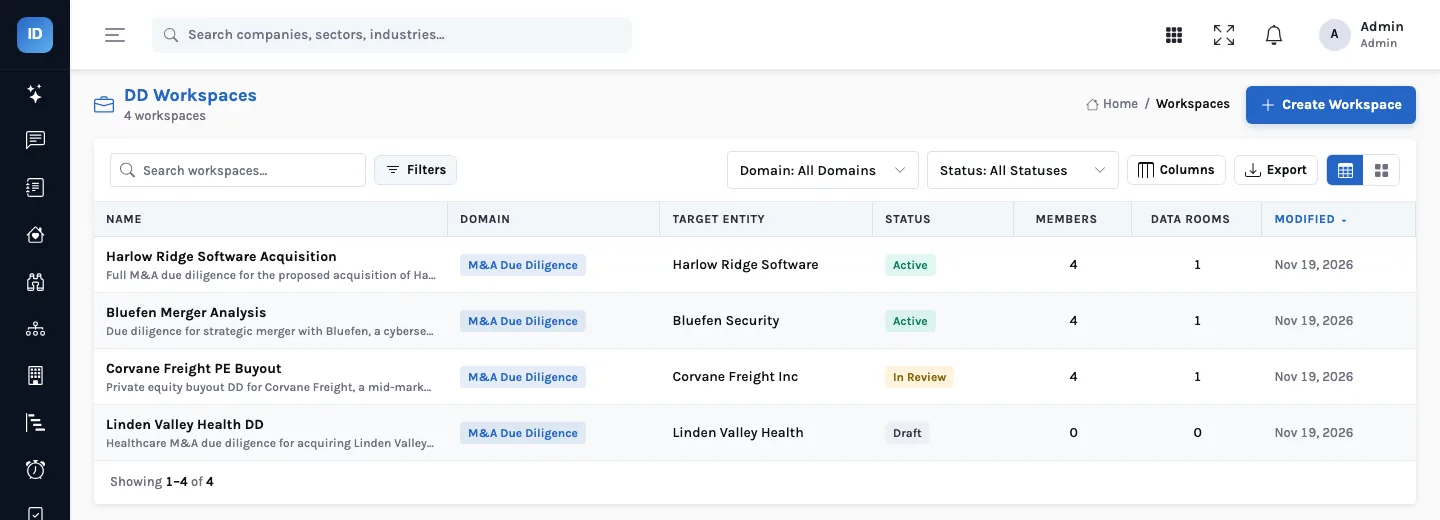
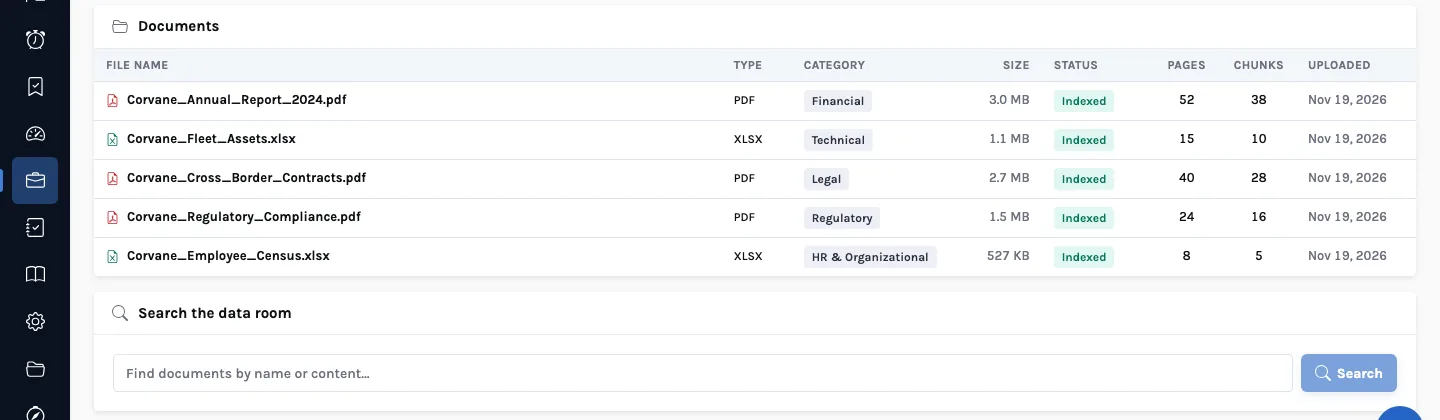
The analysts file the seller's documents into the data room, each under a category: financial, legal, technical, HR and organizational, market and commercial, regulatory or other. The category is what connects a document to the right review tab, so the person reading the cross-border contracts sees them under Legal & Contracts, next to the contract questions.
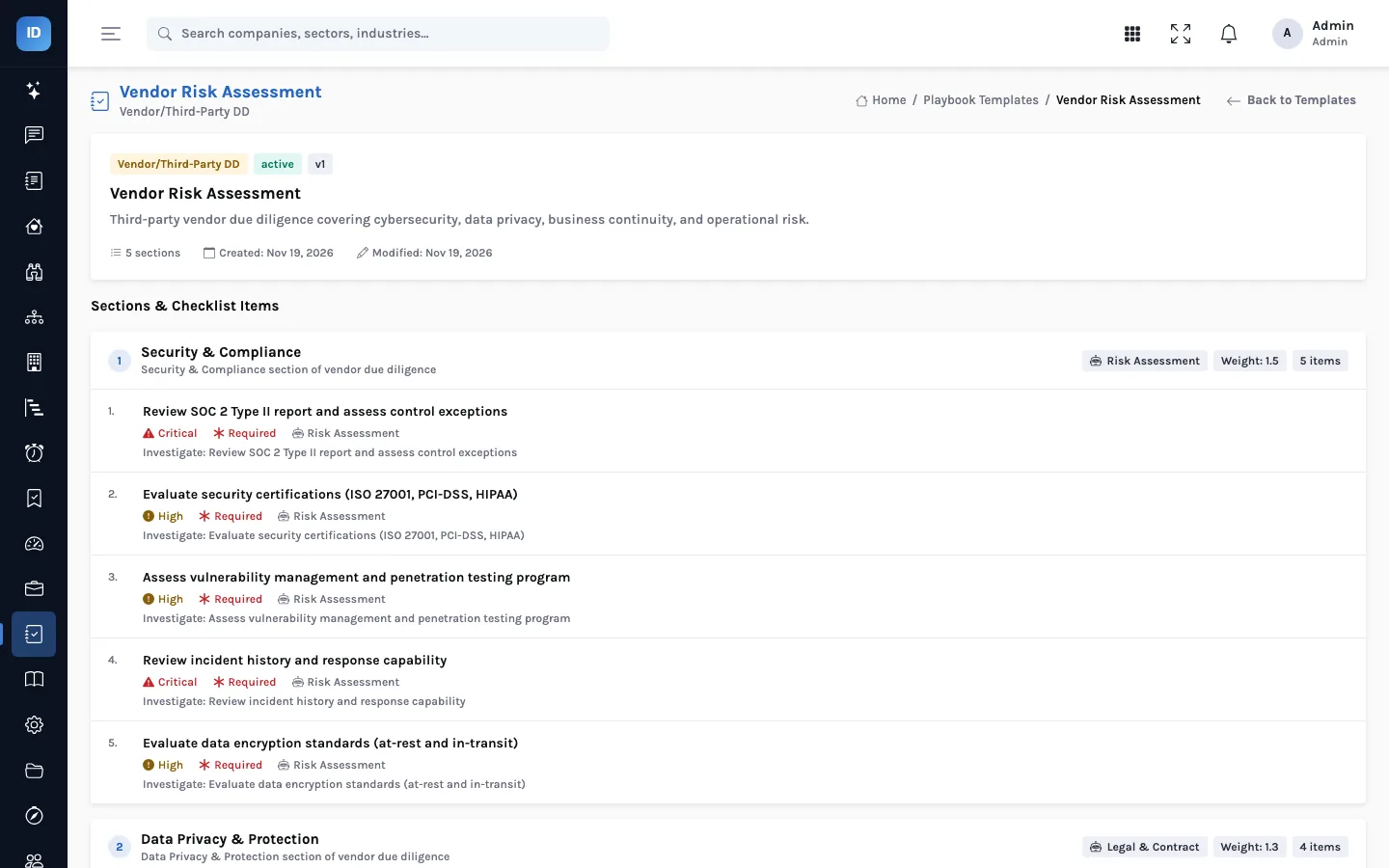
The playbook comes from the M&A template: six sections and 42 items, with Financial Analysis and Risk Assessment weighted highest. For a logistics business the team pays particular attention to the items on capital expenditure against depreciation (the fleet), working capital, and the debt structure and covenants.
Week 2: findings and the first review
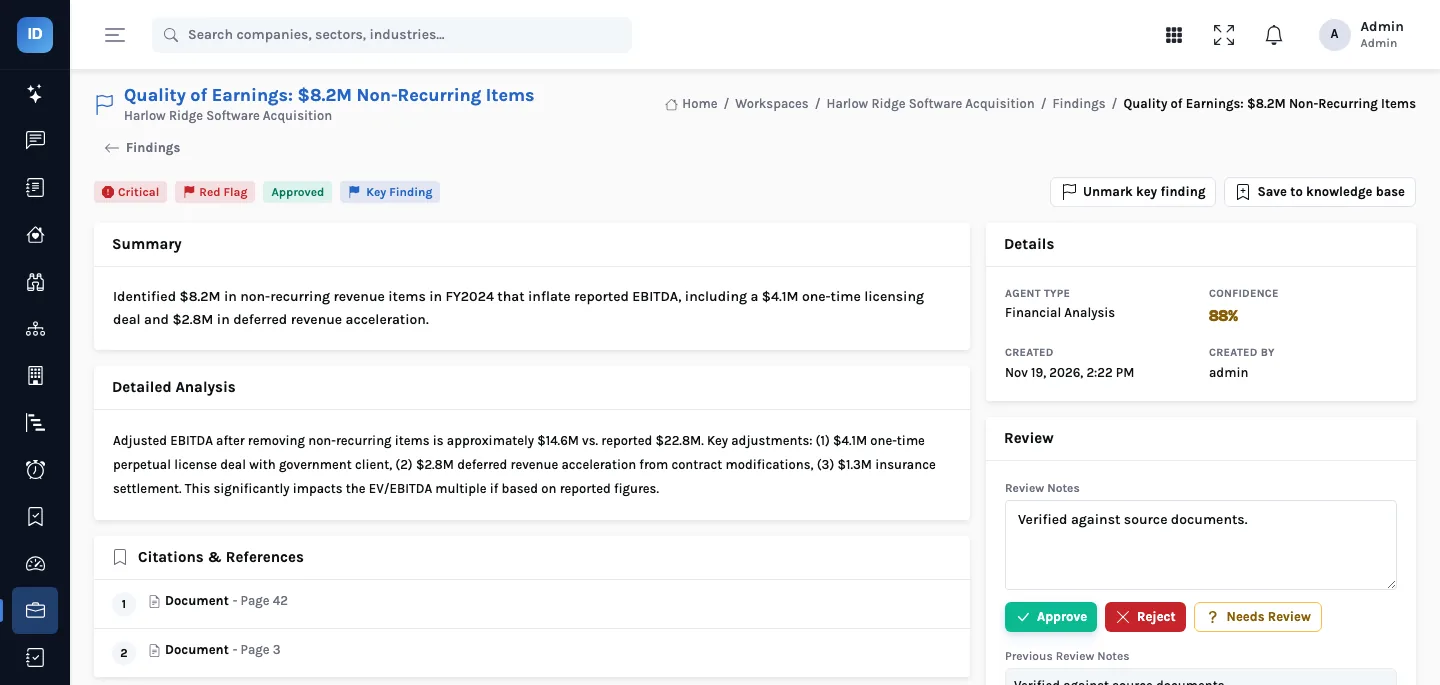
Findings arrive against the playbook, each with a severity, a category, the area it belongs to, and citations to the pages it rests on. The operating partner reviews them as they come, and each one leaves review with one of three decisions:
- a fleet age analysis tied to the asset register is approved;
- a claim that cross-border contracts carry no change-of-control terms goes back as needs review, with a note that only six of the contracts were read;
- a concern about a regulatory filing is rejected, with the note that the filing was made late but accepted, so the next analyst does not raise it again.
The weekly call, run from the playbook
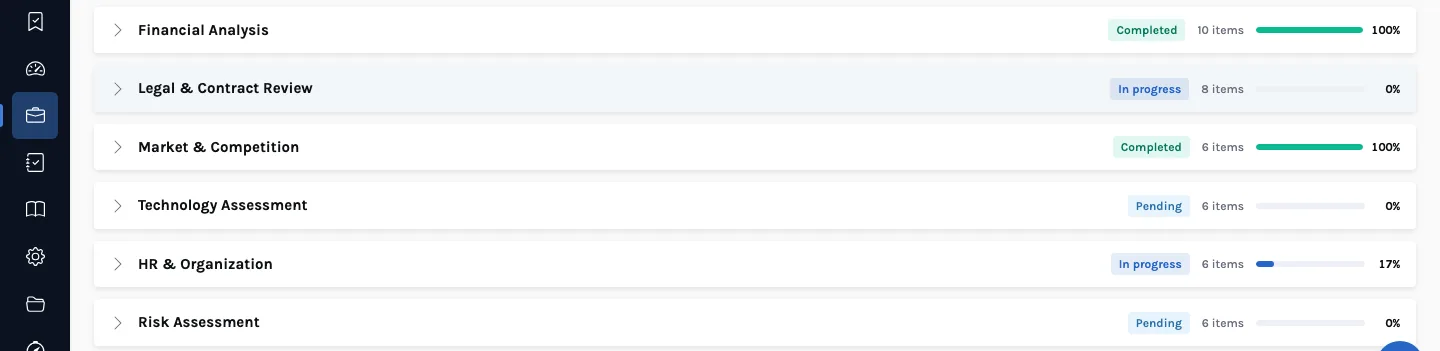
The deal lead runs the weekly call from the Playbook tab rather than from a status email. The question is not “what percentage are we at?”; it is “which sections are behind, and which open items are critical and required?”. Progress is counted from item statuses, per section, so the answer is a short list with owners.
Week 3: key findings and the risk view
With most findings reviewed, the deal lead marks the handful that will lead the committee pack as key findings. The risk assessment section, last in the playbook because it weighs the others, now has something to weigh: the high and critical findings across every area, which also form the report's risk register.
The finding that changed the structure
An approved, critical finding shows that three of Corvane's largest customer contracts can be terminated on a change of control, each cited to the clause. The deal lead marks it a key finding. At the next weekly call it moves from the diligence agenda to the structuring agenda: the fund asks for customer consents as a condition before signing, and the lenders' adviser is sent the cited pages, not a summary. The finding, the review notes and the decision all stay on the workspace for the lenders' questions.
IC week: the report
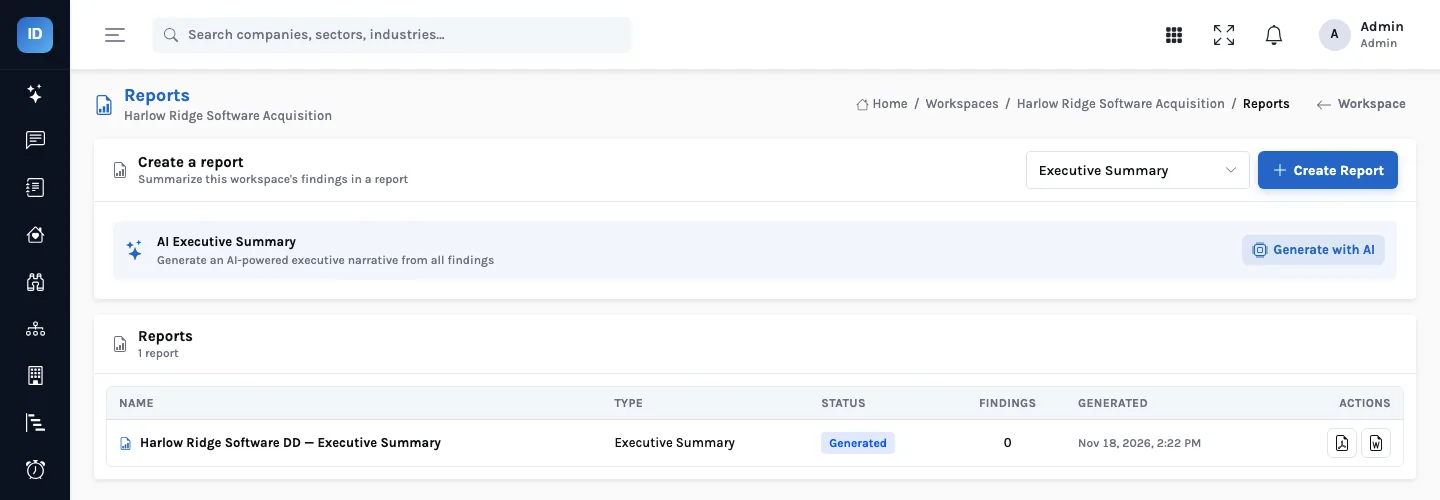
The report is generated from approved findings only, grouped by area, with the high and critical findings in a risk register and the key findings leading the executive summary. With a model configured, the opening narrative can be drafted by AI for the deal lead to edit. The pack is exported as PDF (through the browser's print dialog) or as a Word document. How that works is in the setup guide.
Four decisions the deal lead makes early
None of these is set by the product; each is a choice the workspace makes visible. Getting them right in week one saves a week later.
One reviewer, or one per area?
A single reviewer (here, the operating partner) keeps severity consistent across the deal, but becomes the bottleneck once findings arrive from every area at once. Splitting review by area is faster and risks a high in legal meaning something different from a high in finance. A middle course that works on a three-week clock: one reviewer per area, and the deal lead re-reads every critical finding.
What to skip on day one
Any item that does not apply to a privately held logistics business is marked skipped before work starts, after a quick read-through with the area leads. The completion figure then measures the work that is actually left, and a skipped item is a visible decision someone can question.
When to start the risk section
Risk Assessment weighs the others, so starting it on day one produces a list of guesses. Starting it in week three leaves no time. The team starts it when Financial Analysis is complete and Legal & Contract Review has its critical items answered, whichever week that falls in.
Which report the committee gets
An M&A workspace offers five report types: Executive Summary, Full DD Report, Risk Assessment, Financial Summary and Legal Review. The fund sends the committee the executive summary with the full report behind it, and the lenders' adviser the risk assessment. Each is generated from the same approved findings, so the numbers agree across the three.
A checklist for the night before IC
- Filter findings to pending review and needs review: anything still there is not in the report. Decide whether that is acceptable or whether the report waits.
- Filter to critical: does each one have a citation and a reviewer note?
- Check the key findings: the executive summary should fit on a page.
- Regenerate the report after the last approval; a report generated earlier does not update itself.
What the workspace gave the deal team
- One list of open questions, counted from the playbook, instead of a status email.
- Findings that answer “where from?”, with the page, and “who checked?”, with the review record.
- A report that cannot include an unreviewed claim, because it is built from approved findings.
- A record for afterwards: the lenders, the 100-day plan and the next deal's team can read why each conclusion was reached.
Next: corporate development and the findings that change a deal's terms.