Due diligence is a project with a deadline, a pile of documents and a question at the end: do we sign, and on what terms? Most teams run it across a virtual data room, a checklist in a spreadsheet, findings in a memo and a report assembled by hand the week before signing. InsightDDx puts those pieces in one place, a workspace per deal, so the checklist, the evidence, the findings and the report stay connected.
This article is the overview. The rest of the blog goes deeper into each part and walks through worked examples.
Who it is for
InsightDDx is built for the people who run diligence and have to stand behind its conclusions: corporate development and M&A teams, private equity and venture deal teams, and the risk, compliance and procurement teams who run the same kind of structured review on insurers, funds, vendors, property and healthcare providers. The six domain types a workspace can take are M&A, insurance, fund / investment, vendor / third-party, real estate and healthcare, each with its own starting playbook.
What a workspace holds
- The team. Each member has a role on the workspace: owner, analyst, reviewer or viewer. The role records who prepares, who reviews and who reads.
- The data room. Documents uploaded into categories (financial, legal, technical, HR and organizational, market and commercial, regulatory, other), each with its type, size, processing status, pages and chunks.
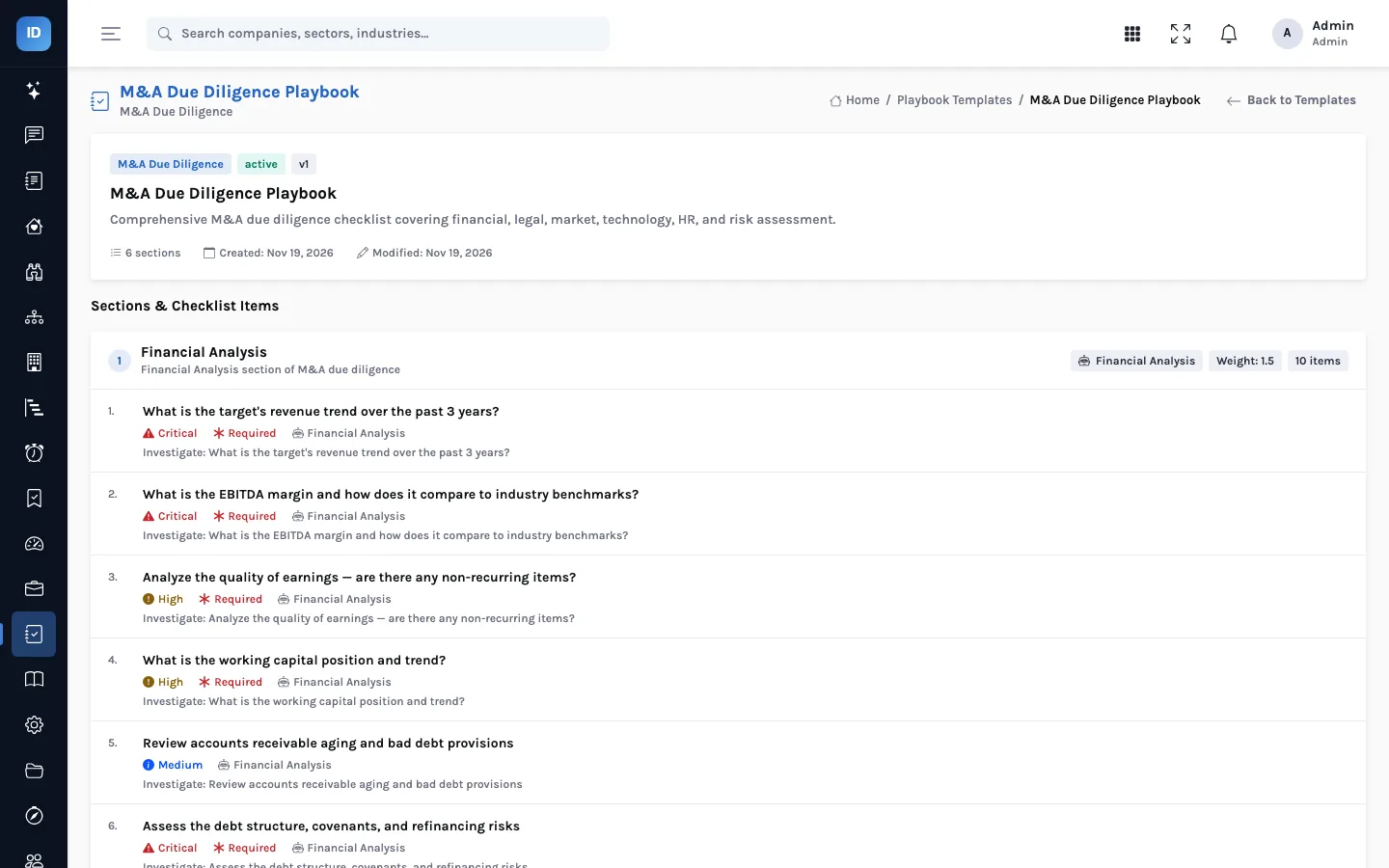
- The playbook. The checklist, copied from a template when the workspace starts: sections such as Financial Analysis or Legal & Contract Review, each with a weight and items that carry a priority, a required flag and a status.
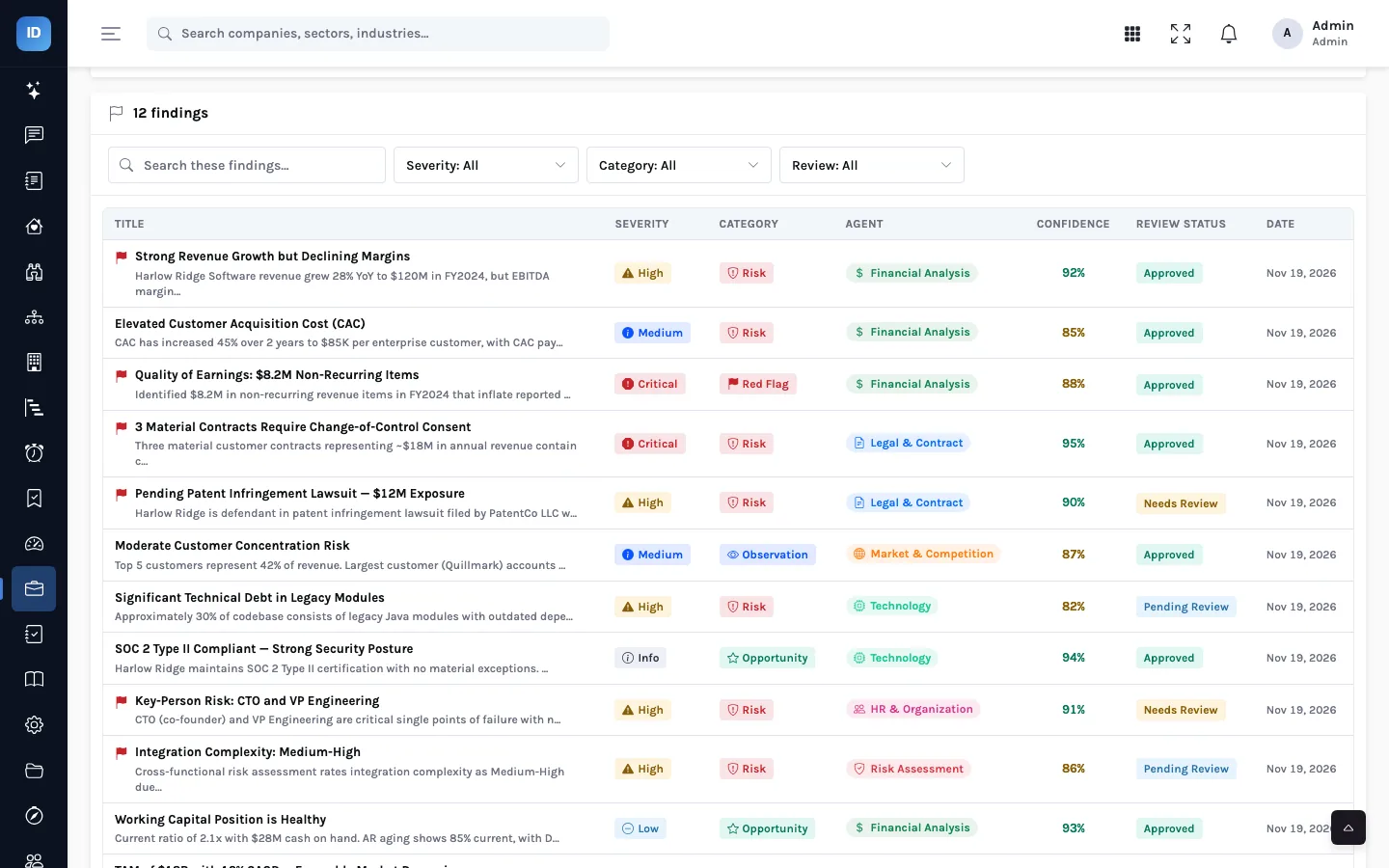
- Findings. Each conclusion as a record: a title, summary and detail, a severity from critical to info, a category (risk, red flag, opportunity, compliance, observation), a confidence score, citations to documents and pages, and a review status.
- Reports. Built from the approved findings and exported as PDF or Word.
The dashboard: every deal at a glance
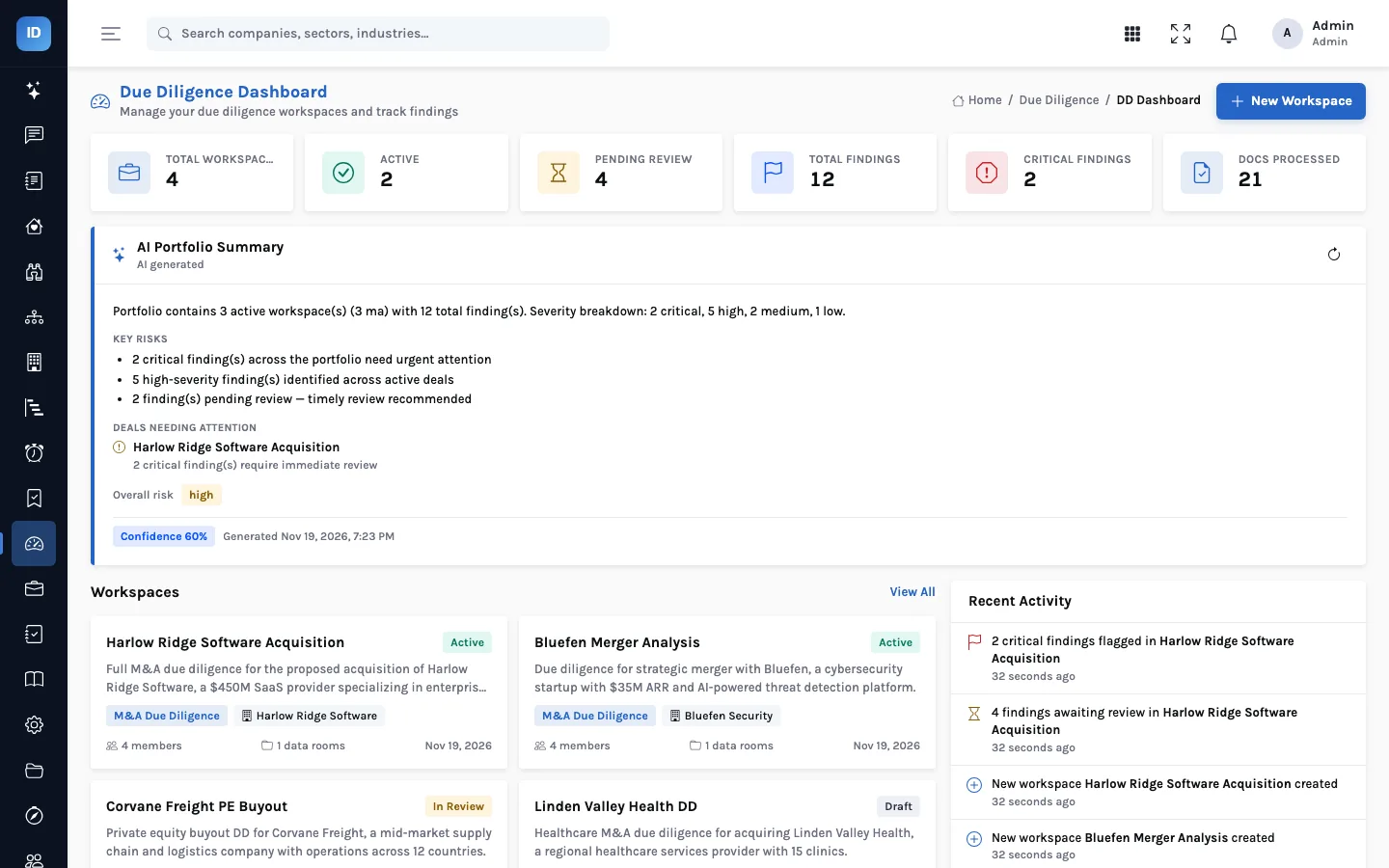
The dashboard answers the questions a deal lead asks on Monday morning: how many workspaces are live, how many findings are critical, what is waiting for review, and which deal needs attention first. The portfolio summary card lists key risks and the deals that need attention. With a model configured it is written by AI; without one, InsightDDx builds the same card from the stored counts, which is the version in the screenshot above.
How a deal moves through it
The path through a workspace follows the way diligence already works:
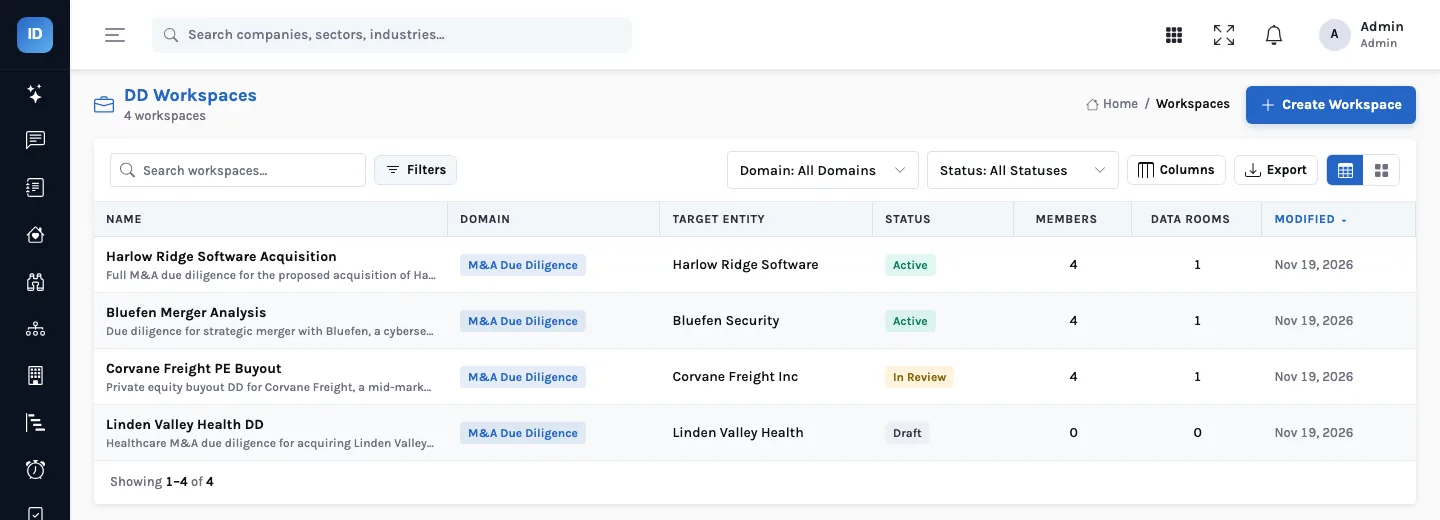
- Open a workspace with a name, domain type, target entity, description and due date, and add the team.
- Start the playbook from the domain's template, or one your team has written.
- Fill the data room, filing each document under a category so each review area sees its own documents.
- Collect findings against the playbook, each with its evidence and severity (through the API today; see the note below).
- Review them: approve, reject or send back for another look, with notes. Mark the ones that matter as key findings.
- Generate the report from what was approved, and export it.
The workspace's tabs mirror the review areas (Financial Analysis, Legal & Contracts, Commercial & Market, Technology & Product, HR & Organization, Operations), each showing that area's checklist, related findings and relevant documents, next to the Data Room and Playbook tabs.
Where AI fits
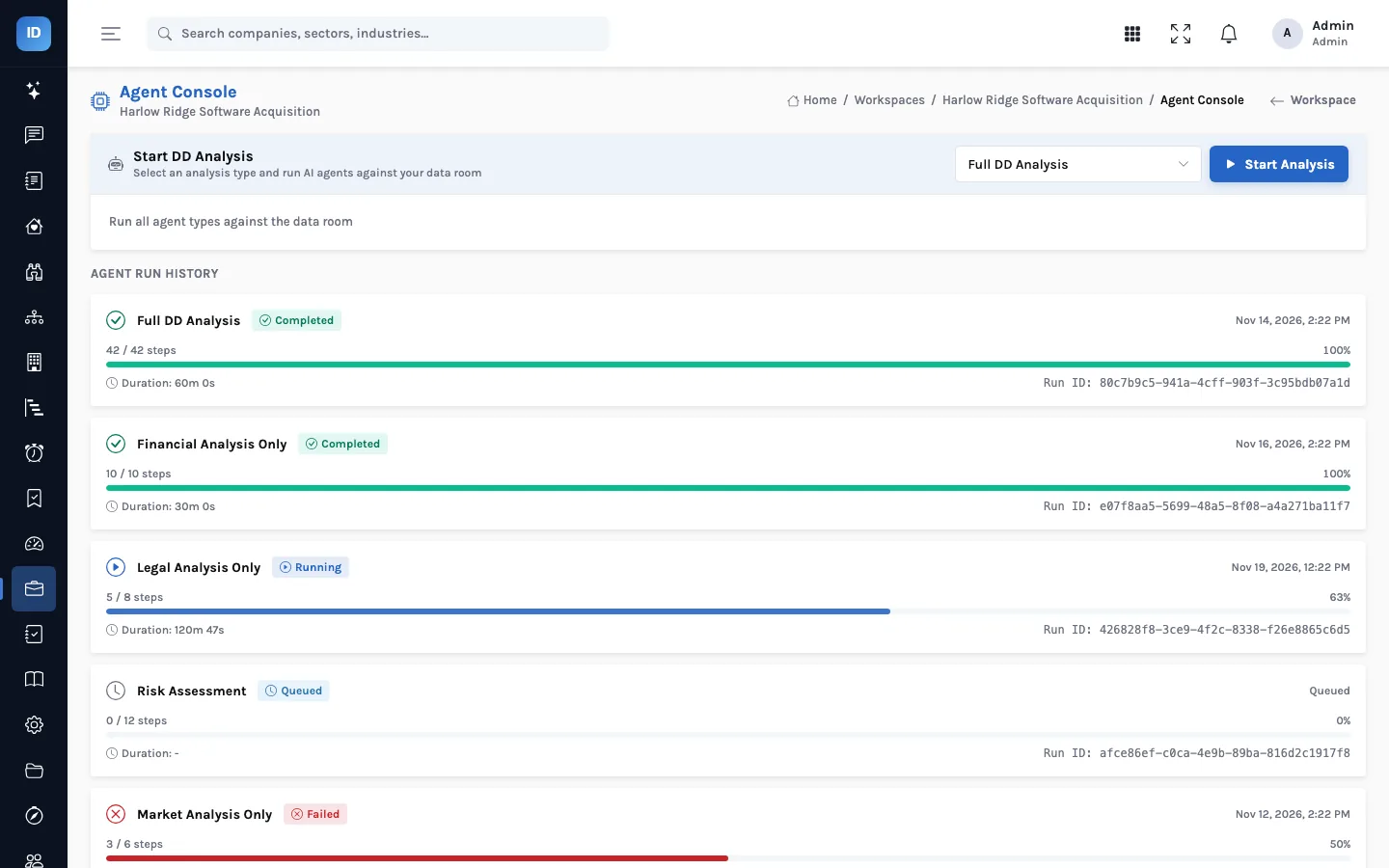
InsightDDx uses a large language model (Anthropic Claude through Amazon Bedrock, in the configuration in the code) to write the summaries a deal team would otherwise draft by hand: an executive brief, a risk assessment, recommendations, a deal-health score, a data room completeness check, a findings analysis, the impact of one finding on the deal, and an assistant that answers questions about the workspace. Each one is written from what the workspace holds (its details, findings, documents and playbook progress), and each shows its confidence and when it was generated. When no model is configured, two of them fall back to summaries built from the stored data and say so: the dashboard's portfolio summary and the analysis on each domain tab. The other cards show that the insight is unavailable until a model is configured.
Harlow Ridge Software, week two
The corp dev team at a fictional ERP buyer is two weeks into diligence on Harlow Ridge Software, a made-up target. The dashboard shows twelve findings, two of them critical, and four waiting for review. The deal lead opens the workspace, filters findings to critical, and sees a quality-of-earnings adjustment and three customer contracts that need change-of-control consent. Both have citations to the pages in the data room, and both were approved by the reviewer with notes. The playbook shows 43% complete: the financial and legal sections are done; technology and HR are not. That is the agenda for Thursday's steering call.
Is it a fit for your team?
A workspace tool earns its place when the review has more moving parts than one person can hold in their head. Four questions usually settle it:
- Do several people review in parallel? If finance, legal and technology each own an area, the shared playbook and the review tabs replace the status email. A single analyst on a small deal may not need them.
- Does someone have to sign off on conclusions? The review step (approve, reject, needs review, with notes) is the core of the product. If nobody reviews, most of its value is unused.
- Do you run the same kind of review repeatedly? Templates and the knowledge base pay off on the second and third deal of a kind, not the first.
- Can documents and findings leave your network? If not, everything except the AI cards still works.
Questions buyers ask
Does it replace our virtual data room?
Each workspace has its own data room for the documents your team is reviewing. Many teams keep the seller's VDR as the source of record and upload into the workspace what they are working on. The upload accepts PDF, Word, Excel, PowerPoint, CSV, text and PNG or JPEG images.
What do the roles do?
Owner, analyst, reviewer and viewer record who is doing what on a deal. The role is stored with each member, so it is clear who prepares findings and who approves them; talk to us during setup about how you want access separated by role.
Can we start without a model?
Yes. The workspace, playbook, findings, review and reports run without one. The dashboard's portfolio summary is then built from the stored counts and each domain tab's analysis from the stored findings statistics and playbook; the other AI cards say that the insight is unavailable rather than showing a guess.
Beyond the deal room
InsightDDx also carries the research side of a deal: company and industry profiles, competitor and cohort analysis, alerts and subscriptions, notebooks and a research assistant, on one knowledge base. This blog concentrates on the diligence workspace.